


patrolsalongaruralroadinrebelheldterr-70kilometers(169miles)northeastofColomboSriLankaApril192007.jpg.decd4349c26779aba6fd1091acc0f521.jpg "A soldier of the LTTE (Standing Force) patrols along a rural road in rebel held territory of Kilinochchi, about 270 kilometers (169 miles) northeast of Colombo, Sri Lanka, April 19, 2007.jpg")


patrolsalongaruralroadinrebelheldterr-70kilometers(169miles)northeastofColomboSriLankaApril192007.jpg.ac10a92ce3ddd16b1994b22c776d49ef.jpg)
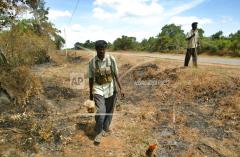


A soldier of the LTTE (Standing Force) patrols along a rural road in rebel held territory of Kilinochchi, about 270 kilometers (169 miles) northeast of Colombo, Sri Lanka, April 19, 2007.jpg


- 380 views
- View நன்னிச் சோழன்'s images
Copyright
© ap archives